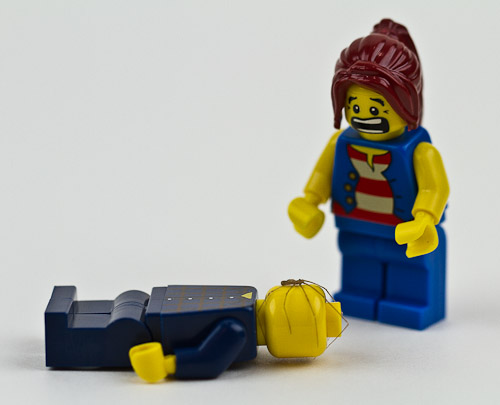
Just a quick post to introduce my newest project called microkosmic. If you like Legos and comics, go check it out. Here’s a sample called Impregnation:
You can also see several of my Lego photos on 500px.
Just a quick post to introduce my newest project called microkosmic. If you like Legos and comics, go check it out. Here’s a sample called Impregnation:
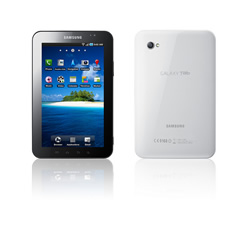 Now that I’ve put a lot of hours into using the Galaxy Tab, here’s what I think: Samsung is very much on to something with this form factor and the build quality of the Tab, but they need to work out the bugs and get the price down by at least a couple hundred dollars. If the Galaxy Tab were, say, $300, I would recommend it without hesitation to almost everyone I know. At $600, however, I would still recommend it to gadget lovers, but to the proverbial mom, I would say wait for the next generation which should be more polished, and hopefully significantly cheaper.
But just to be clear: I really love this device, and have found myself completely attached to it. Although it doesn’t have the fit and finish (from a software perspective) of an iPad, it’s definitely much closer to what I’ve been looking for in a tablet: very portable, great battery life, and a data plan that I can mostly live with.
The overall feeling I get from the Samsung Galaxy Tab is that it’s a really good indication of things to come. It feels very much like the original iPhone to me: a breath of fresh air, but destined to be quickly replaced with more refined models at much more realistic prices. Although I’m very attached to the Galaxy Tab, something tells me that in 6 to 12 months — and certainly no more than 18 — I’ll look back on the Tab as nothing more than a gateway into real 7″ Android tablets. Until then, however, I’m going to enjoy it.
Now that I’ve had a couple of days worth of experience with the Samsung Galaxy Tab, I thought I’d post a couple of tips that have made using the device a much better experience.
One of the first applications I installed on the Galaxy Tab was Google Voice. Although the Tab can’t make GSM or CDMA calls (of course, VoIP calls are theoretically possible), I still wanted to be able to send and receive Google Voice text messages. The Google Voice app installed fine, but I got stuck at the point where it asked for the device’s phone number. Although my device technically does have a phone number (something about Verizon’s data implementation requires devices to have phone numbers), it isn’t possible to actually call the number. That means the number can’t be verified by Google Voice which, in turn, means that it can’t be added to your Google Voice account.
I tried associating my mobile number with my Galaxy Tab, and while it worked perfectly and did allow me to send and receive text messages as expected, I found I could no longer receive text messages on my mobile phone. But the experience gave me an idea: I added my office number to my Google Voice account, and associated it with my Galaxy Tab. Perfect. Since my office phone can send or receive text messages anyway, I wasn’t inadvertently disabling any of its functionality. I can now send and receive text messages from my Galaxy Tab, my Droid X, and from my browser. (And I can still forward calls to my office phone should I choose to.)
To recap, here’s the process of setting up Google Voice to work with the Samsung Galaxy Tab:
That’s it. You can now send and receive text messages on your nice, new, 7″ Galaxy Tab.
Most of the applications I installed on my Galaxy Tab worked fine, but a few (The Weather Channel, New York Times, etc.) didn’t take up the full screen. To be honest, I have no idea why. It seems to me that if your application can run on different Android phones, it should be able to run on a 7″ Android tablet, but apparently not. Anyway, I found a workaround provided by jkkmobile. They made a six-minute video describing how to change your Tab’s configuration such that applications scale properly, but most of the video is spent waiting for the device to reboot (twice!). So, if you want to save yourself some time, I’ll list the steps here:
That’s it. All apps should scale themselves properly now. (Note that this fix is provided by jkkmobile — not me. I’m just listing the steps described in the video so you don’t have to spend six minutes watching a Galaxy Tab reboot.)
Stay tuned for a full review of the Galaxy Tab coming soon.
 Conclusion: It’s not ready.
Having gotten rid of my Verizon FiOS television service some time ago, I’ve been eager to try out the new TV solutions from Apple and Google. I reviewed the new Apple TV about a month ago, and really liked it. Last night, I spent the evening with the Logitech Revue with Google TV, and all I can say is that it’s really not ready yet.
Here’s a summary of my experience so far:
That’s about when it occurred to me that the Google TV was creating what was probably the worst TV watching experience I’d ever had. So I turned it off and picked up my laptop.
To be fair, I should point out two very important things:
In summary, the Logitech Revue with Google TV feels like an early prototype to me. The hardware is way too slow and the partnerships and business models aren’t in place to make it even remotely useful yet (for me, anyway). Until one or both of these things change, I recommend the following:
Update: Richard’s comment has inspired me to make a quick update. First, just because Google TV isn’t working out for me, it is working well for others. If you’re thinking of getting one, analyze your particular TV watching needs and habits, and you might find that it works great for you. Second, I actually have very high hopes for Google TV in the future. I believe in what Google is trying to do — I just don’t think the hardware, software, and the partnerships are there yet. As the various pieces fall into place, I will continue to experiment with Google TV, and I will work it into my TV-watching routine as its features and functionality permit.
 Living Digitally